
One More Day · Guide
OMD Game
OMD Game is a standalone website hosted inside the app. Signed-in members may receive a one-time My Avatar handoff. The game owns its own state and currently has no score or coin bridge to the app.
Open the complete visual walkthrough ↗
Getting started
- Open More > Play OMD Game.
- Wait for the player.
- Play as member or guest fallback.
- Close with the in-app Close button.
Every feature, step by step
Open in app
Choose Play OMD Game and wait for the standalone site.
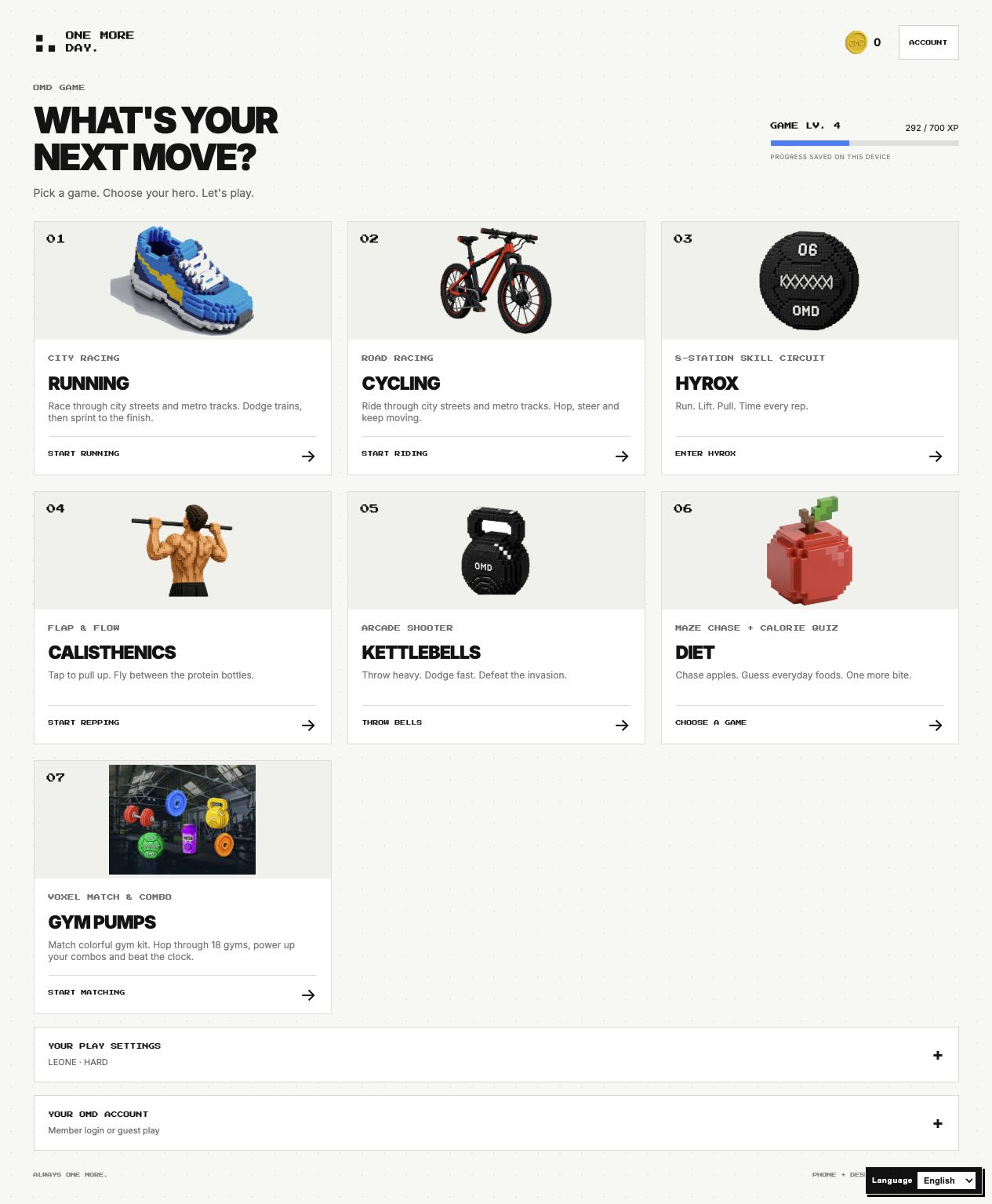
- Open More. Shows the OMD Game destination.
- Tap OMD Game. Opens the game hub inside the app.
- Wait for the hub to load. Shows available game modes or an availability state.
- Use the close or back control. Returns to the app menu.

Choose your hero and difficulty
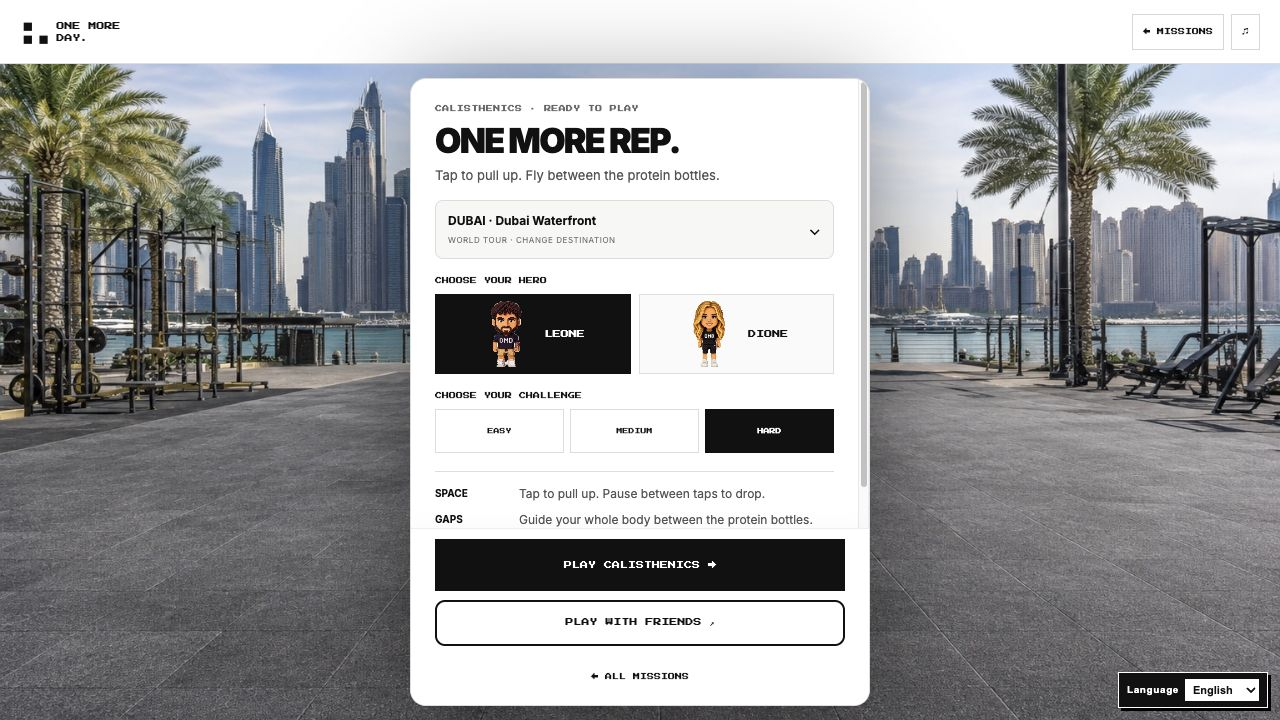
Each game has its own preparation screen.
- Choose a game from the hub. Opens its preparation screen.
- Choose Leone or Dione. Selects the hero for this game.
- Choose Easy, Medium or Hard. Sets the challenge level.
- Read How to Play, then press Play. Starts the selected game with its own controls.
Choose a mode
Use the game hub, play and return to hub or close.
- Open the OMD Game hub. Shows available modes.
- Tap a game mode. Opens that mode.
- Read its on-screen controls. Explains movement or interaction for that game.
- Play the session. Updates only the game experience.
- Exit to the hub. Returns to mode selection.
Keep state separate
Game identity, close and share messages do not bridge score or coins into OMD.
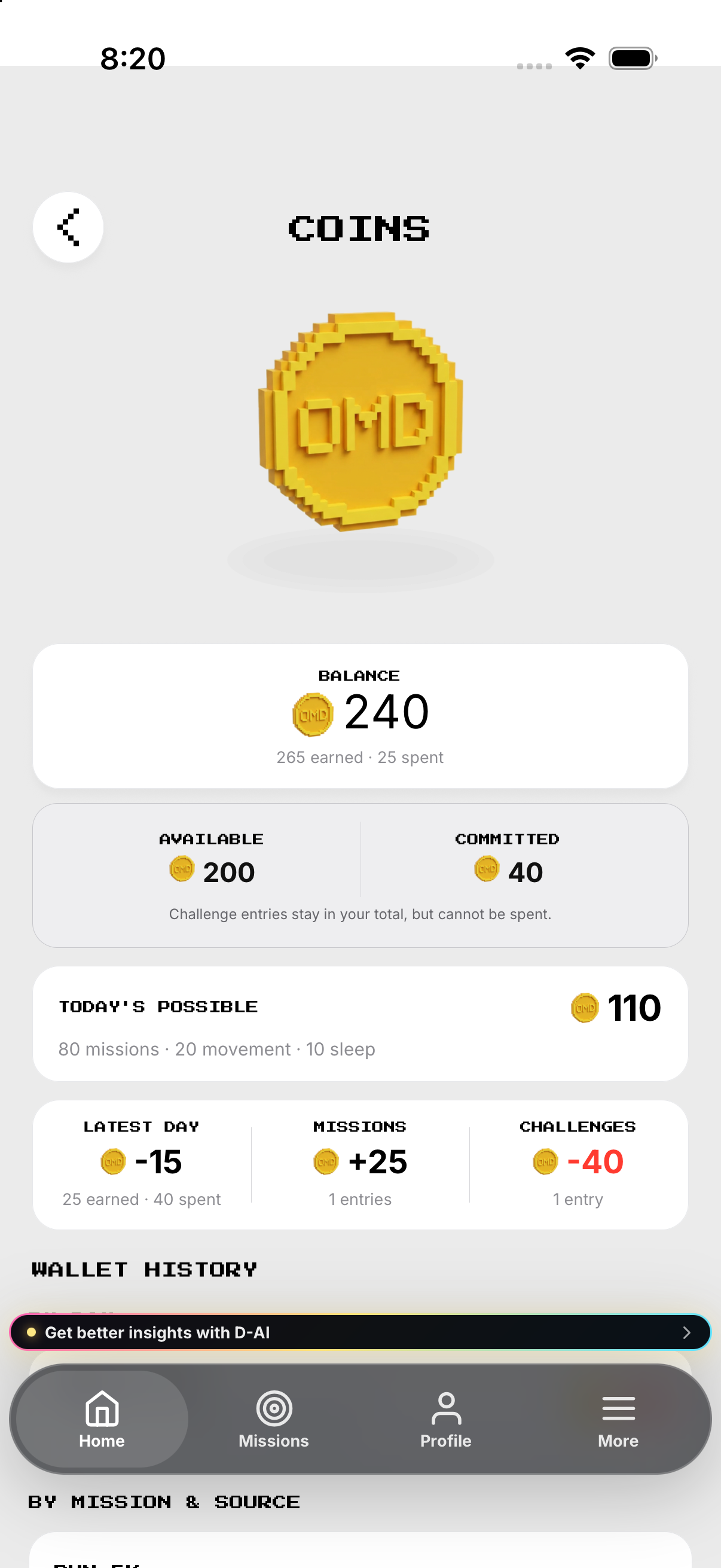
- Open the app coin wallet. Shows the in-app OMD coin balance and history state.
- Return to OMD Game. Opens the separate game hub.
- Play or finish a game mode. Changes only that game session state.
- Return to the app wallet. Do not expect a game score to appear as an OMD coin movement; no source-backed bridge exists.
Example
Example: failed handoff can still open as guest.
Keep in mind
Do not describe game coins as app-wallet movements.