
One More Day · Guide
Plans and App Store pricing
OMD+ and Coach Pro are globally available in-app plans, each with monthly and annual Apple products. Apple supplies the exact local currency, amount and renewal period for the active storefront.
Open the complete visual walkthrough ↗
Getting started
- Choose the plan.
- Choose monthly or annual.
- Read Apple's local price.
- Restore or manage in Apple when needed.
Every feature, step by step
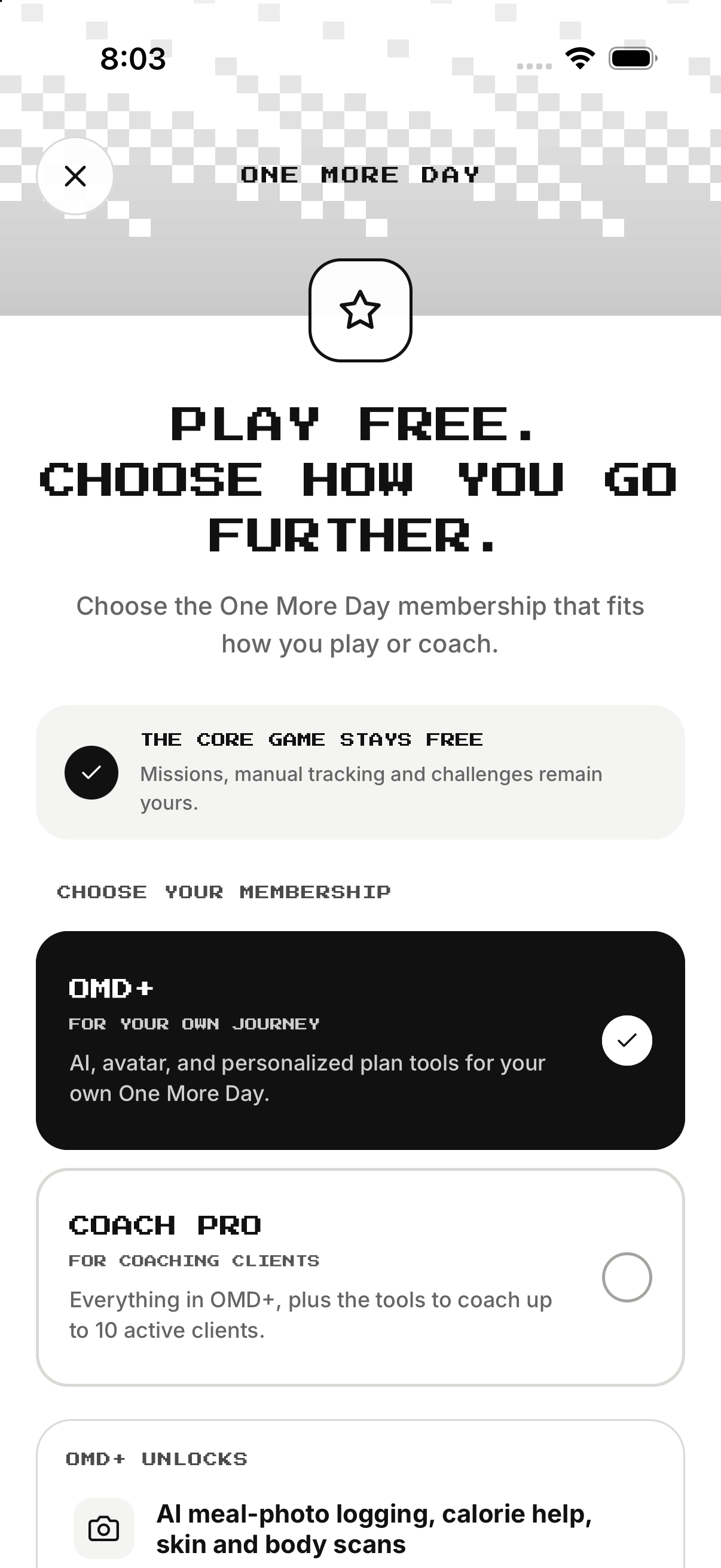
Choose plan
Switch between OMD+ personal premium and Coach Pro coaching workspace.
- Open Membership. Loads products for active storefront.
- Tap OMD+. Shows personal premium.
- Tap Coach Pro. Shows coaching workspace.
- Confirm selected plan. Prevents wrong family.
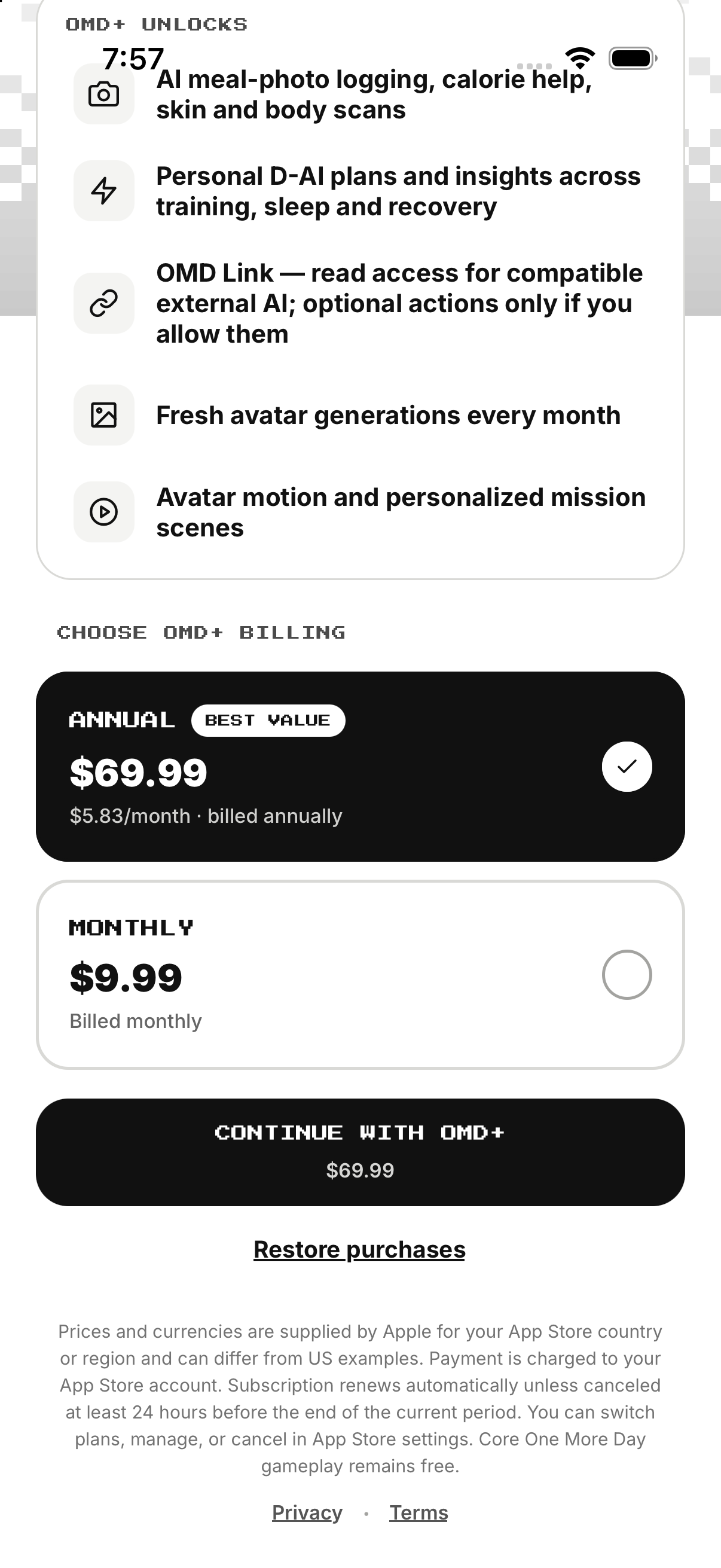
OMD+ billing
Choose monthly or annual and read StoreKit's localized price before Continue.
- Select OMD+. Activates OMD+ products.
- Tap Annual. Selects annual product.
- Read localized annual price. Confirms currency and billed-annually period.
- Tap Monthly. Selects monthly product.
- Read localized monthly price. Confirms alternative.
- Press Continue. Opens Apple purchase.
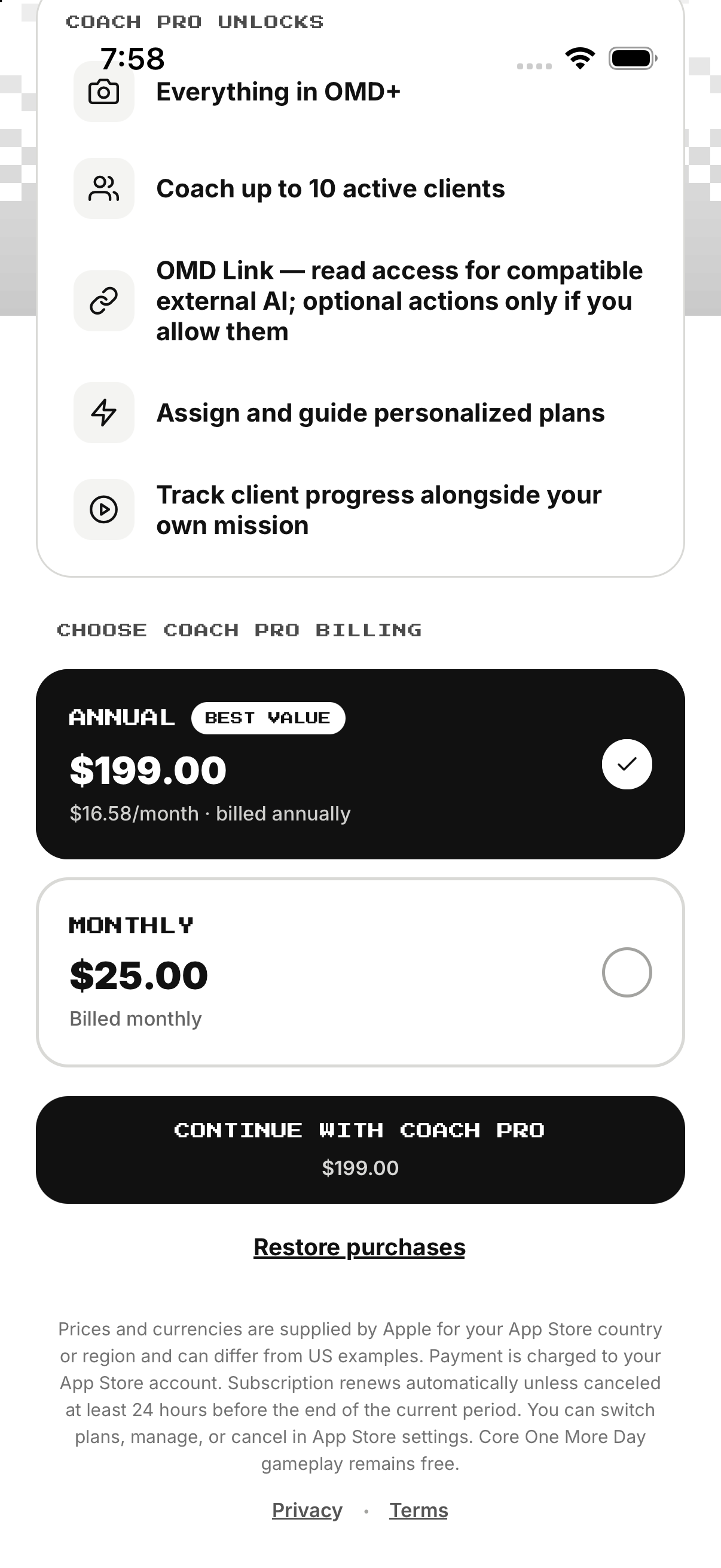
Coach Pro billing
Choose monthly or annual and confirm currency and renewal period.
- Select Coach Pro. Activates Coach Pro products.
- Tap Annual. Selects annual product.
- Read localized annual price. Confirms currency and period.
- Tap Monthly. Selects monthly product.
- Read localized monthly price. Confirms alternative.
- Press Continue. Opens Apple purchase.
Restore or manage
Restore an existing Apple entitlement or open Apple's subscription controls.
- Tap Restore Purchases. Asks Apple for current-account entitlements.
- Wait for OMD sync. Links only matching ownership.
- Read mismatch errors. Do not rebuy before resolving account.
- Tap Manage Subscription. Opens Apple controls for active plan.
Example
Example: another Apple storefront can show a different currency or amount for the same product.
Keep in mind
Use Apple's sheet as the customer-facing price source.