
One More Day · Guide
Home avatar, HP, XP and streak
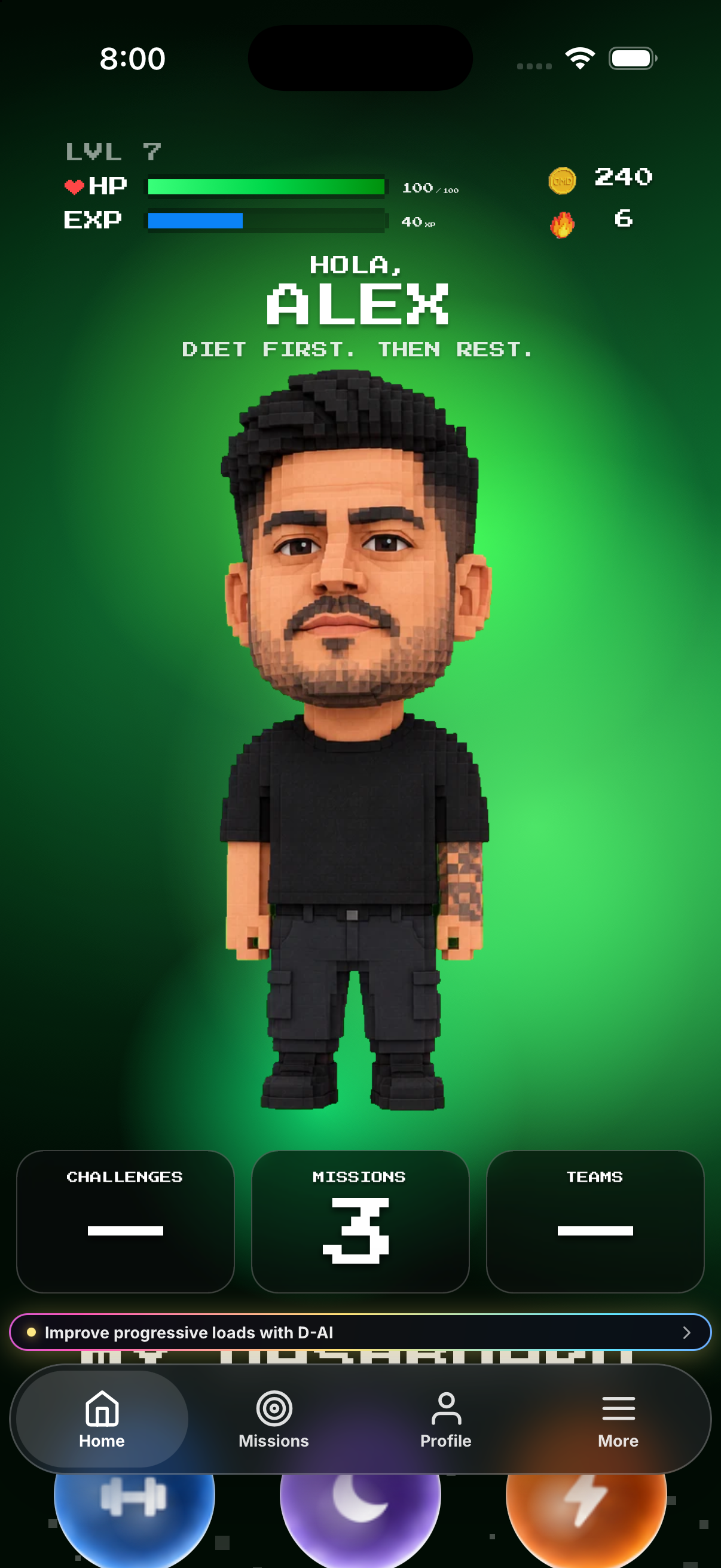
Home is the correct place to read avatar condition. The avatar reflects mission health; due missions shape HP, completed activity builds XP, and the flame tracks the living streak.
Open the complete visual walkthrough ↗
Getting started
- Read the avatar on Home.
- Tap HP for the breakdown.
- Read XP and level.
- Read the flame for the current streak.
Every feature, step by step
Read avatar condition
Open Home and compare the avatar with HP.
- Open Home. Shows the avatar in its current condition.
- Read the condition label and visual state. They summarize the current avatar condition.
- Tap the avatar or its nearby status control. Opens the available detail for that state.
- Return after logging activity. The avatar may update when the underlying mission state changes.
Open HP breakdown
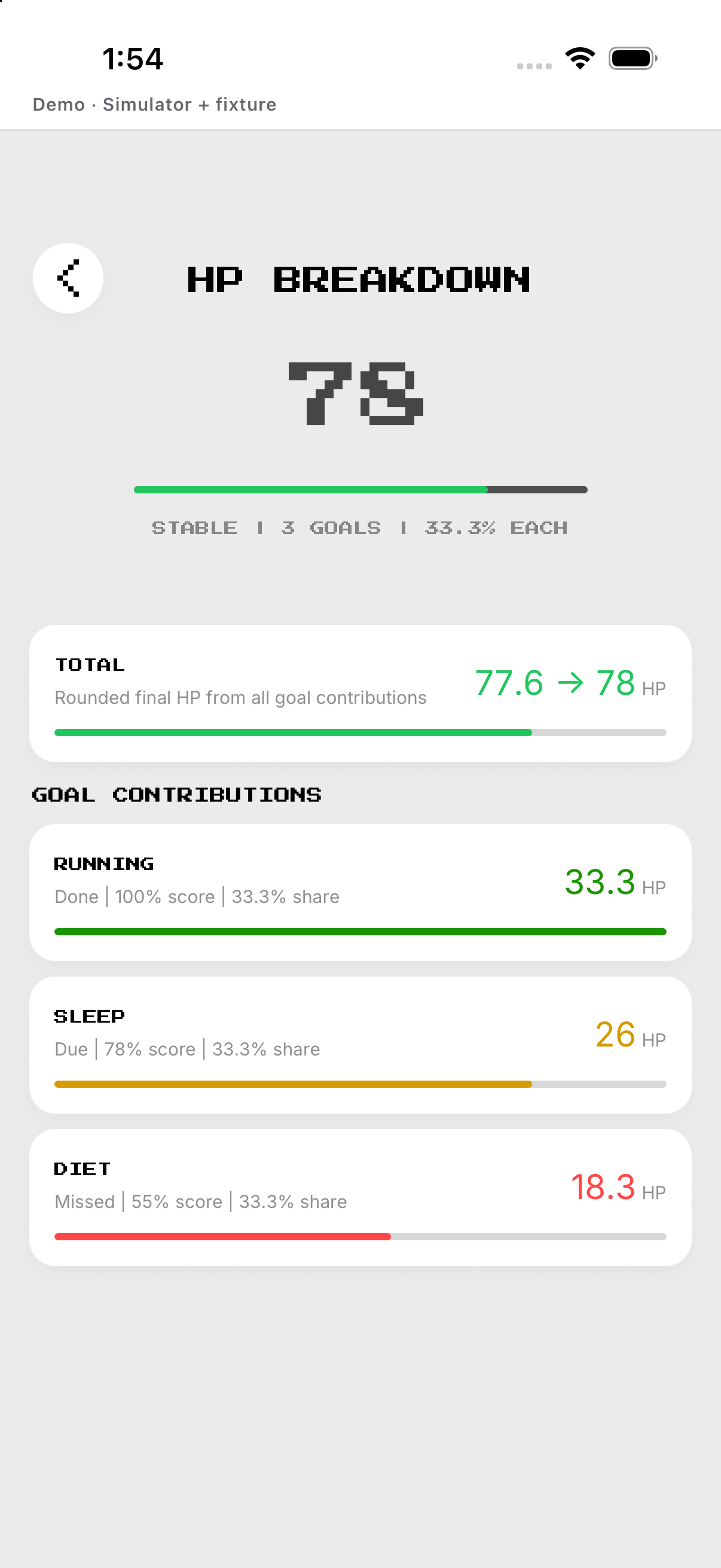
Tap HP and review mission contributions.
- Open Home. Shows the overall HP beside the avatar.
- Tap the HP control. Opens the HP breakdown overlay.
- Read each mission contribution. Shows how active missions contribute to the total.
- Close the overlay. Returns to Home without changing HP.
Read XP and level
Read the blue progress bar; logged and completed missions may award different XP.
- Open Home. Shows current XP and level progress.
- Tap the XP or level control when available. Opens the progress explanation.
- Read earned XP and the next threshold. Shows progress toward the next level.
- Complete eligible activity and return. New awarded XP appears after the activity is saved.
Understand the living streak
Read the flame; zero HP ends the current round and streak.
- Open Home. Shows the current living streak.
- Tap the streak control when available. Opens its supporting detail.
- Complete an eligible committed day. A saved eligible completion can extend the streak.
- Return after the day is processed. The displayed streak reflects the processed mission record.
Example
Example: a due miss can lower HP after its checkpoint closes.
Keep in mind
Do not use the Profile portrait as proof of current HP.