
One More Day · Guide
How scoring and HP work
Each checkpoint follows the saved rule and contributes to the mission's lifetime score.
Open the complete visual walkthrough ↗
Getting started
- Choose a metric and rule.
- Complete or record evidence on a target day.
- Let the local target day close.
- Review the resulting mission HP and overall Avatar HP.
Every feature, step by step
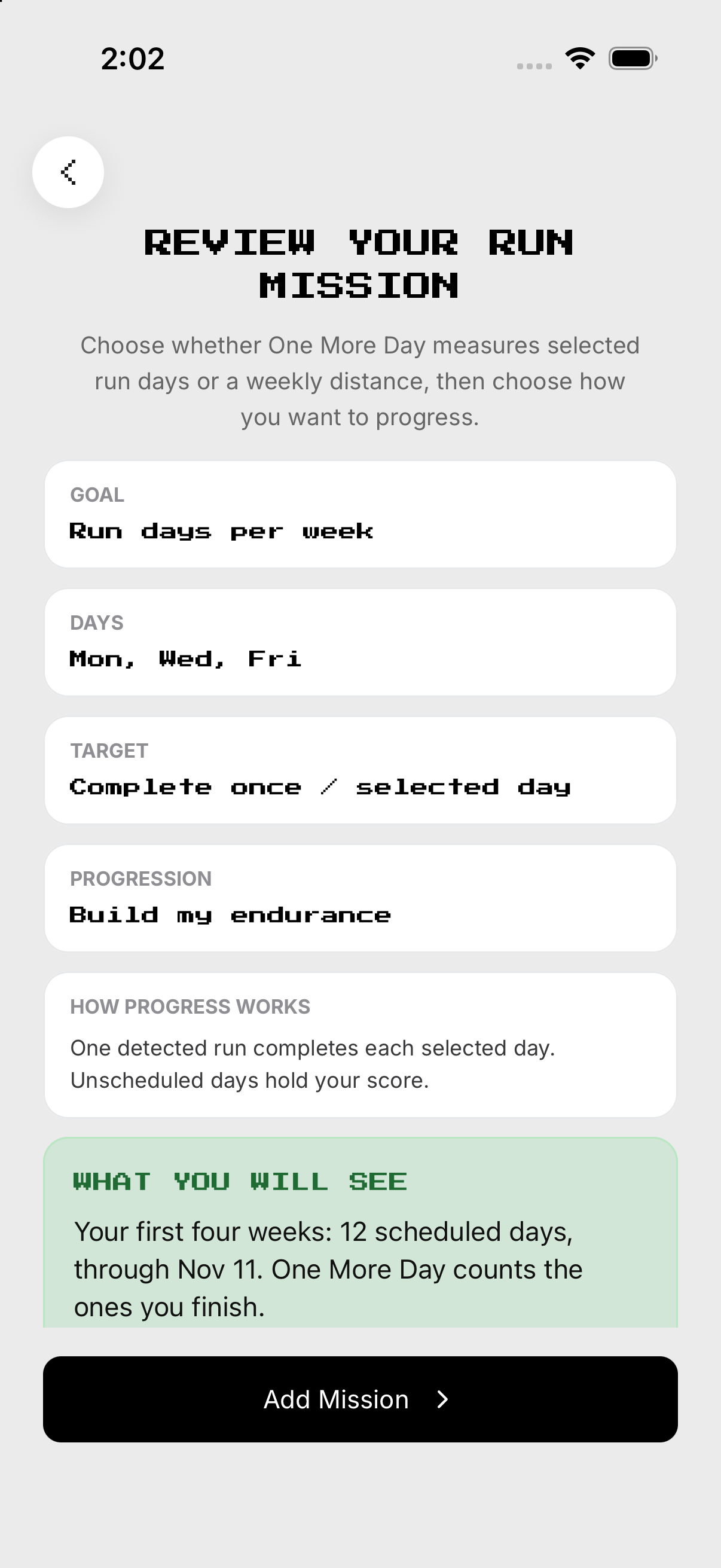
Understand a checkpoint
A scheduled day contributes only after its rule is evaluated.
- Open a mission setup. Shows its metric, rule and committed days.
- Read the target and what counts. Defines the checkpoint calculation.
- Record supported evidence on a committed day. Adds progress for that obligation.
- Wait for the local target day to finalize. Turns the evidence into a finalized result.
- Open Mission History. Reviews the recorded result without changing it.

Read mission HP
Mission HP is the lifetime mean of finalized checkpoints for that mission.
- Open the mission or its history. Shows its recorded checkpoints.
- Read each finalized result. Each result stays in the mission lifetime.
- Ignore unscheduled rest days. They create no checkpoint and no miss.
- Complete later scheduled days. New finalized successes can raise the mean.
- Read the updated mission HP. Earlier misses remain in history.
Read overall Avatar HP
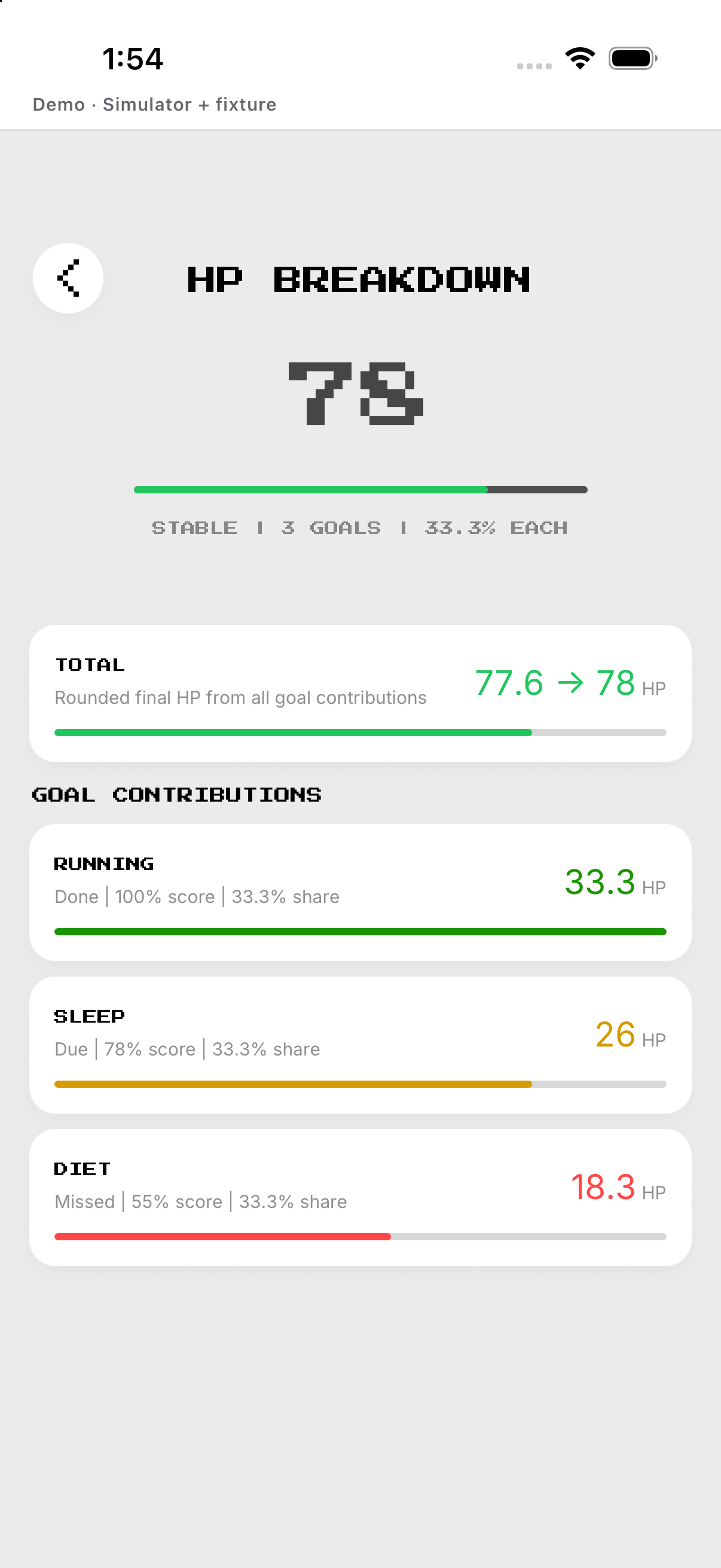
Overall HP is the rounded mean of eligible active mission scores.
- Open Home. Shows HP beside the avatar.
- Tap HP. Opens the mission contribution breakdown.
- Read each eligible active mission. Each contributes an equal share to the persisted total.
- Close the breakdown. Returns to Home without changing the score.
Example
Fictional: 5,000 of a 10,000-step target scores 50% for that checkpoint.
Keep in mind
A rest day does not create a miss.